




Seamless integration between TrueLayer and Cloud One-Ai

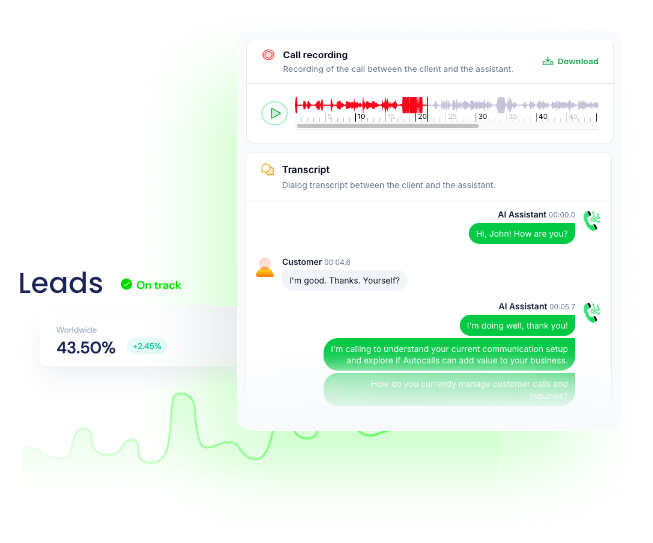
Get a hands-on experience by trying a free demo call. Fill in your details, and our AI representative will call you instantly.
✓ No credit card required ✓ No commitment



Returns payout details.
Returns a mandate with the stated ID. This endpoint can be called either by the regular `backend token` or the `mandate token` for that mandate.
The ID of the mandate to retrieve.
Returns payment details. This API can be called using either the `resource_token` associated with the payment or a backend bearer token.
The ID of the payment to retrieve.
Submit form details filled by the PSU. This API can be called using the `resource_token` associated with the payment or a backend bearer token.
The ID of the payment for which the form is being submitted.
List all the mandates associated with the client. This API must be called using a backend bearer token.
Optional limit on the number of mandates to return.
Optional cursor for pagination.
Optional ID of the user whose mandates you want to list.
Pay out from one of your merchant accounts.
Cancel a payment. This API can be called using the `resource_token` associated with the payment or a backend bearer token.
The ID of the payment to cancel.
Create a new mandate. This API must be called using a backend bearer token.
Used for request signature verification
Used to ensure idempotent requests
Create a new payment. This API must be called using a backend bearer token.
Header containing the signature of the request payload for authentication purposes.
Used to collect and record the end-user's IP address. Only considered if the authorization_flow object in the request body is specified.
A key that uniquely identifies the request. If the same key is sent in another request, the operation will have the same result as the first request.
Used to improve the end-user's authentication experience based on the device type. If omitted, the `User-Agent` header will be used instead. Only considered if the authorization_flow object in the request body is specified.
Revoke a mandate. This API must be called using a backend bearer token.
The ID of the mandate to revoke.
Submit the consent given by the user. This API can be called using the `resource_token` associated with the payment or a backend bearer token.
The ID of the payment for which consent is being submitted.
Make a custom API call to a specific endpoint
Authorization headers are injected automatically from your connection.
Retrieve the constraints defined on the mandate, as well as the current utilization of those constraints within the periods.
The ID of the mandate to retrieve the constraints for.
Retrieves payment link details. This API must be called using a backend bearer token.
The ID of the payment link to retrieve.
Returns refund details for a specific payment.
The ID of the refund to retrieve details for.
The ID of the payment for which the refund was made.
Create a new payment link. This API must be called using a backend bearer token.
Used for request signature verification.
Used to ensure idempotent requests.
Returns all refunds of a payment.
The ID of the merchant account payment to retrieve all refunds for.
Returns payment provider details. This API can be called without the need for authentication.
The ID of the payment provider to retrieve details for.
Optional client ID to retrieve specific provider details.
Optional configuration for the type of icon: - `default`: Default icon with no background (SVG). - `extended`: Extended to a square with an appropriate background color (SVG). - `extended_small`: Extended icon with 192x192 px size (JPEG). - `extended_medium`: Extended icon with 432x432 px size (JPEG). - `extended_large`: Extended icon jpeg with 864x864 px size (JPEG).
Confirm that the PSU has the given funds. This API can be called using the mandate_token associated with the mandate or using a backend bearer token.
ID of the Mandate to be confirmed.
Currency code (e.g., GBP, EUR).
A "cent" value representing the amount. For example, 100 == 1 GBP.
Refund a merchant account payment, either fully or partially.
The payment ID for the payment to be fully or partially refunded.
The amount to refund, expressed in minor units (e.g., 100 means 1 GBP).
Get the details of a single merchant account.
The ID of the merchant account to be retrieved.
Submit the consent given by the user. This API can be called using either the mandate_token associated with the mandate or a backend bearer token.
The ID of the mandate for which consent is being submitted.
List all your TrueLayer merchant accounts. There might be more than one account per currency.
No additional configuration required
Submit the scheme details selected by the PSU. This API can be called using the `resource_token` associated with the payment or a backend bearer token.
The ID of the payment for which the scheme details are being submitted.
Returns a list of payment providers.
No additional configuration required
List all the payments associated with the payment link. This API must be called using a backend bearer token.
The ID of the payment link for which payments are being retrieved.
Optional limit on the number of payments to return.
Cursor used for pagination purposes, returned as `next_cursor` in the response payload of the initial request. Not required for the first page of items.
Save the account details associated with a payment for subsequent re-use. This API can be called using the `resource_token` associated with the payment or a backend bearer token.
The ID of the payment to save the account details for.
Submit the provider details selected by the PSU. This API can be called using the `resource_token` associated with the payment or a backend bearer token.
The ID of the payment for which provider selection is being submitted.
Get the automatic sweeping settings for a merchant account.
The ID of the merchant account to fetch the sweeping settings for.
Submit the user account selection option given by the user. This API can be called using the `resource_token` associated with the payment or a backend bearer token.
The ID of the payment for which the user account selection is being submitted.
Set the automatic sweeping settings for a merchant account. At regular intervals, any available balance in excess of the configured `max_amount_in_minor` is withdrawn to a pre-configured IBAN.
The ID of the merchant account to set or update sweeping settings for.
The IBAN to which sweeping funds will be transferred.
The frequency of the sweeping operation (e.g., daily, weekly).
The amount above which sweeping will occur, expressed in minor units (e.g., 100 means 1 GBP).
Start the authorization flow for a payout. This API can be called using the `resource_token` associated with the payout you are trying to fetch.
Start the authorization flow for a mandate. This API can be called using either the mandate_token associated with the mandate or a backend bearer token.
The ID of the mandate to start the authorization flow for.
Start the authorization flow for a payment. This API can be called using the `resource_token` associated with the payment or a backend bearer token.
The ID of the payment for which to start the authorization flow.
Disable automatic sweeping for a merchant account.
The ID of the merchant account to disable sweeping for.
Get the transactions of a single merchant account. If pagination is missing, add a header `tl-enable-pagination: true` to enable pagination.
The ID of the merchant account to return the transactions for.
Timestamp for the end of the range to query (inclusive). Uses the ISO-8601 format of YYYY-MM-DDTHH:MM:SS±HHMM.
Timestamp for the start of the range to query (inclusive). Uses the ISO-8601 format of YYYY-MM-DDTHH:MM:SS±HHMM.
Filters transactions by payments or payouts. If omitted, both are returned.
Cursor used for pagination purposes, returned as `next_cursor` in the response payload of the initial request. Not required for the first page.
Submit the provider details selected by the PSU. This API can be called using either the mandate_token associated with the mandate or a backend bearer token.
The ID of the mandate for which provider selection is being submitted.
Get the payment sources from which the merchant account has received payments.
The ID of the merchant account into which payments were made.
The ID of the user whose payment sources are being retrieved.
Submit direct return query and fragment parameters returned from the provider.
Used to ensure idempotent requests
Easily manage AI voice agents without the need for programming skills.
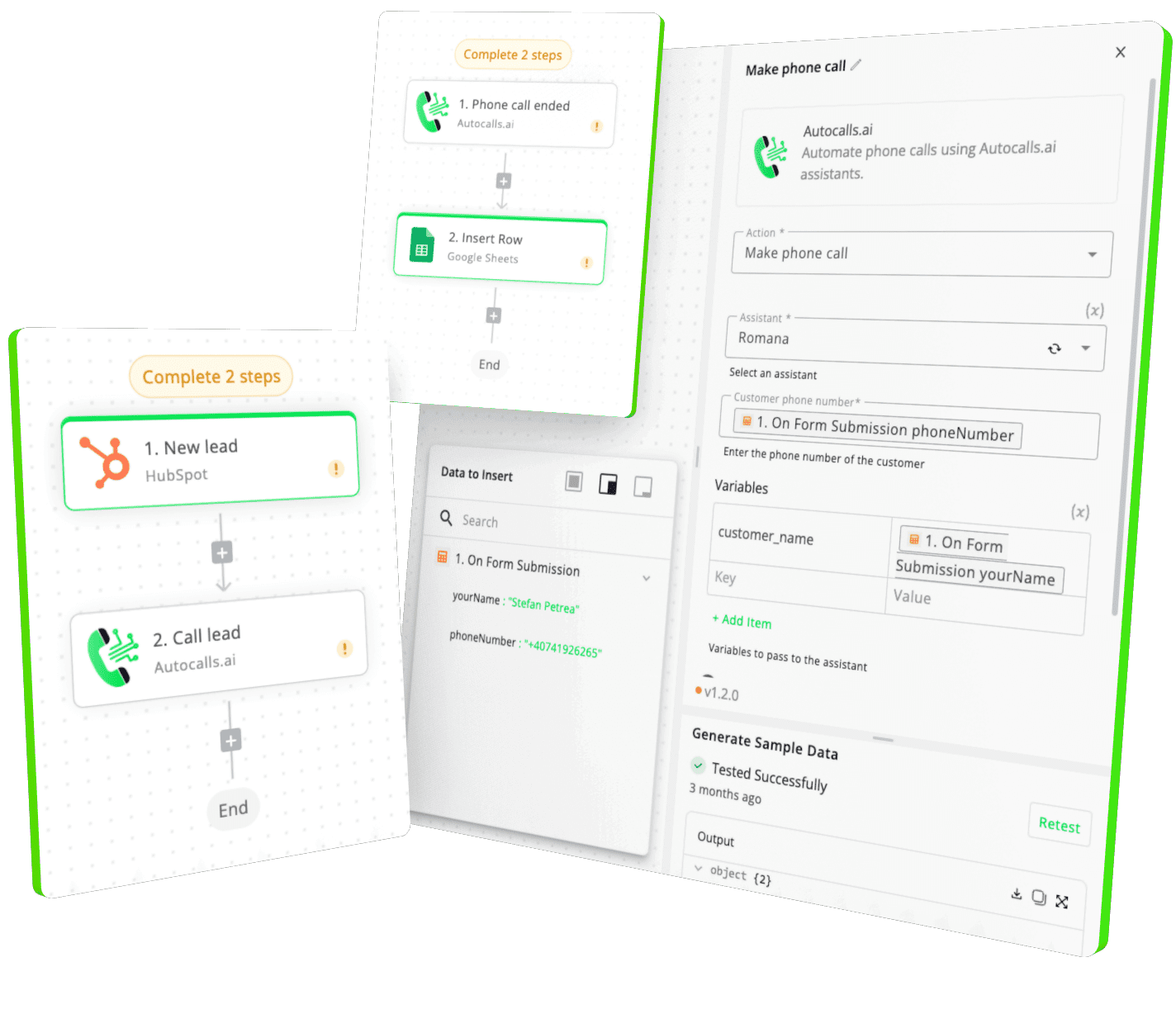
Integrate with popular tools such as HubSpot, GoHighLevel, Zoho, Cal.com & +250 more and build automations using drag and drop.


[integration_short_desc]

[integration_short_desc]

[integration_short_desc]



Have a question that is not answered? You can contact us at
Setting up TrueLayer integration takes less than 5 minutes. Simply connect your TrueLayer account, configure your voice agent preferences, and start automating your phone calls immediately.
No technical expertise required – our platform is designed to be user-friendly and intuitive.
Absolutely! You can fully customize your voice agent’s personality, script, voice, and responses based on TrueLayer data. Create different agents for different TrueLayer workflows, customer segments, or business objectives.
Join thousands of businesses already automating their phone calls with our TrueLayer integration.
You can get your assistant ready in few minutes.