Seamless integration between Tally and Cloud One-Ai
Get a hands-on experience by trying a free demo call. Fill in your details, and our AI representative will call you instantly.
✓ No credit card required ✓ No commitment
Triggers when form receives a new submission
To set up the trigger for new form submissions, follow these steps: 1. Go to the "Dashboard" section. 2. Select the form where you want the trigger to occur. 3. Click on the "Integrations" section. 4. Find the "Webhooks" integration and click on "Connect" to activate it. 5. In the webhook settings, paste the following URL: ```text {{webhookUrl}} ``` 6. Click on "Submit".

Easily manage AI voice agents without the need for programming skills.
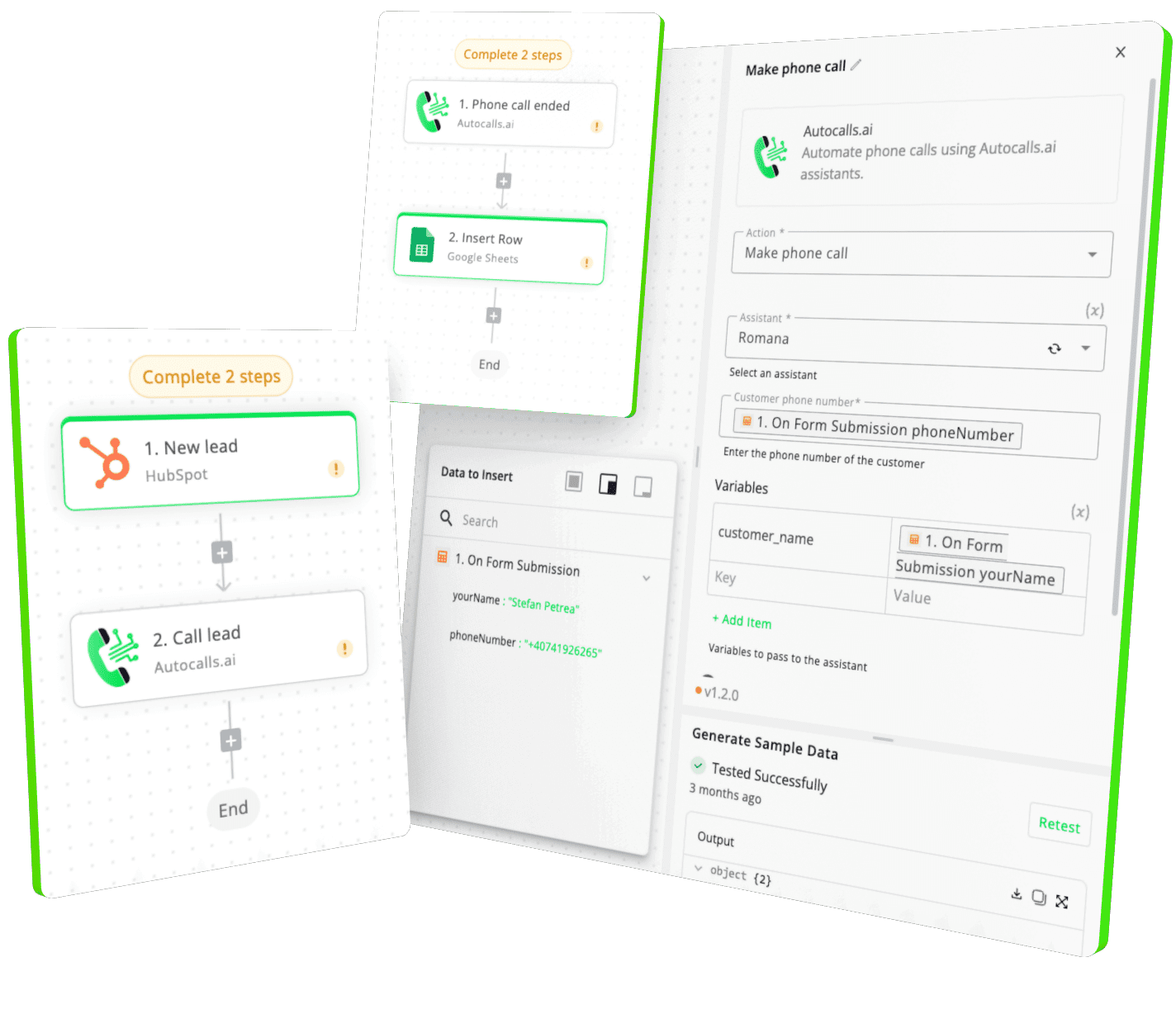
Integrate with popular tools such as HubSpot, GoHighLevel, Zoho, Cal.com & +250 more and build automations using drag and drop.

[integration_short_desc]

[integration_short_desc]

[integration_short_desc]
Have a question that is not answered? You can contact us at
Setting up Tally integration takes less than 5 minutes. Simply connect your Tally account, configure your voice agent preferences, and start automating your phone calls immediately.
No technical expertise required – our platform is designed to be user-friendly and intuitive.
Join thousands of businesses already automating their phone calls with our Tally integration.
You can get your assistant ready in few minutes.